GBP/EUR GBP/USD EUR/USD GBP/CAD GBP/SAR EUR/SAR GBP/AED EUR/AED

Your entire FX solution,
in one chat.

Quote. Book. Set alerts. Track points. Manage beneficiaries. It all happens in the app you already use forty times a day — and nothing else needs to be installed.

3.3B
Global users
30M
In the UK
98%
Message open rate
180
Countries

The messaging app that quietly became a payment rail.

You probably already use WhatsApp to message your family, your colleagues, and your group chats. What you might not realise is that across 180 countries, it has quietly become the default way people send money, pay for goods, and transact with the businesses they trust.

In Brazil, 98.9% of internet users are on WhatsApp — and millions of them use it every day to send money directly to each other and pay merchants at checkout. The platform is their payment rail. In India, over 500 million people rely on WhatsApp Pay to send money on the country's UPI rails. In Singapore, businesses accept payments natively through the app.

The UK is different — our regulatory setup means WhatsApp Pay hasn't rolled out here, and given our banking infrastructure probably won't in the same form. But the underlying insight is the same everywhere: people don't want another app to download, another password to manage, or another portal to log into. They want to do business in the app that's already open on their phone.

That's why SummitFX was built WhatsApp-first. We've taken every feature you'd expect from a serious FX trading platform — live rates, quote execution, forward contracts, rate alerts, market orders, loyalty points, beneficiary management — and put it all inside a chat window. No app to download, no login screen, no dashboard to learn.

Just message us. That's the whole experience.

The scale of WhatsApp

3.3 billion
Monthly active users worldwide — more than half the adult population of Earth.
73% daily
UK users who open WhatsApp every single day. That's higher than any banking app.
98%
Business messages that get opened. Email averages 20%.
175M
Daily interactions with business accounts on the platform.
98.9%
Brazil's WhatsApp penetration among internet users — where the app is already a payment rail.
01 · Currency settings

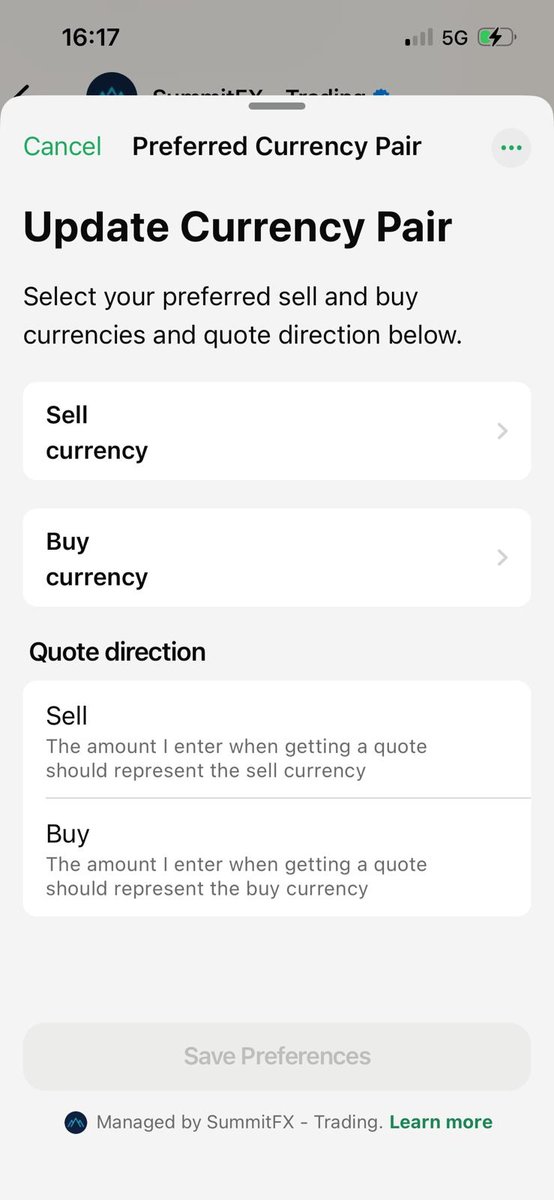
Set your preferred pair once.

Tell us your favourite currencies once and we remember. Set your sell and buy currencies plus your preferred quote direction — so every time you ask for a quote, we already know exactly what you need.

  • Pick your default sell & buy currencies
  • Choose quote direction (sell amount or buy amount)
  • Update any time by sending "currency"
Send "currency" Opens WhatsApp with your currency request pre-filled
WhatsApp currency settings screen
02 · Fast quote

A live rate in seconds.

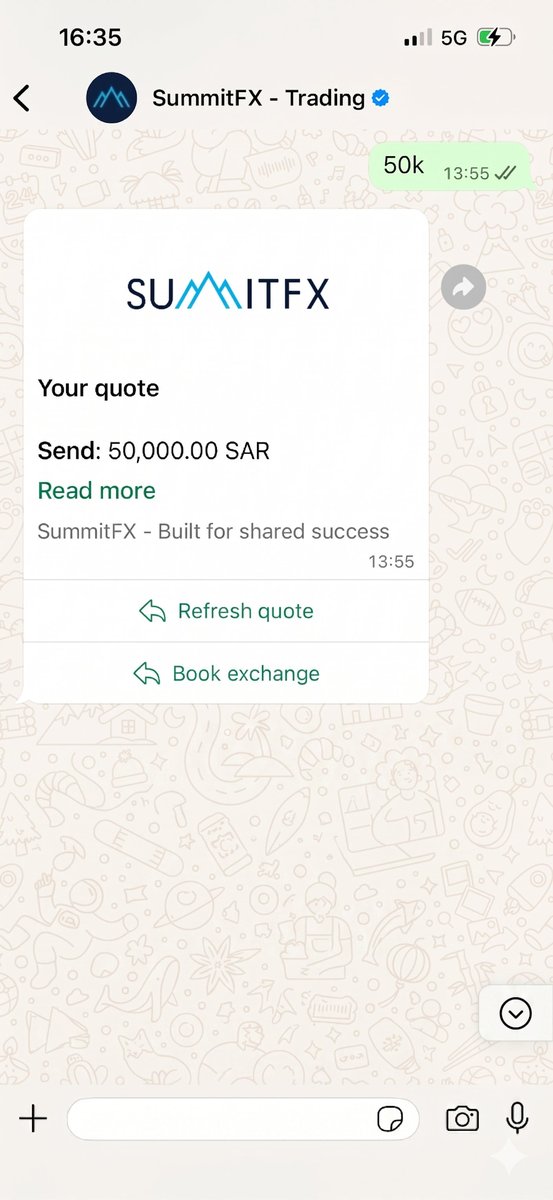
Just message us the amount — we'll fire back a live, executable rate immediately. No forms, no call queues. Your preferred pair is already pre-set, so it really is just one number.

  • Send the amount, get a rate back instantly
  • Flexible formats accepted — 50000, 50,000, or 50k all work. Commas and decimals are fine too.
  • Full breakdown — what you send, what arrives
  • Book or refresh with a single tap
Send amount Edit the amount before sending to get a live rate
WhatsApp fast quote screen
03 · Quote any pair

100+ currencies, one message.

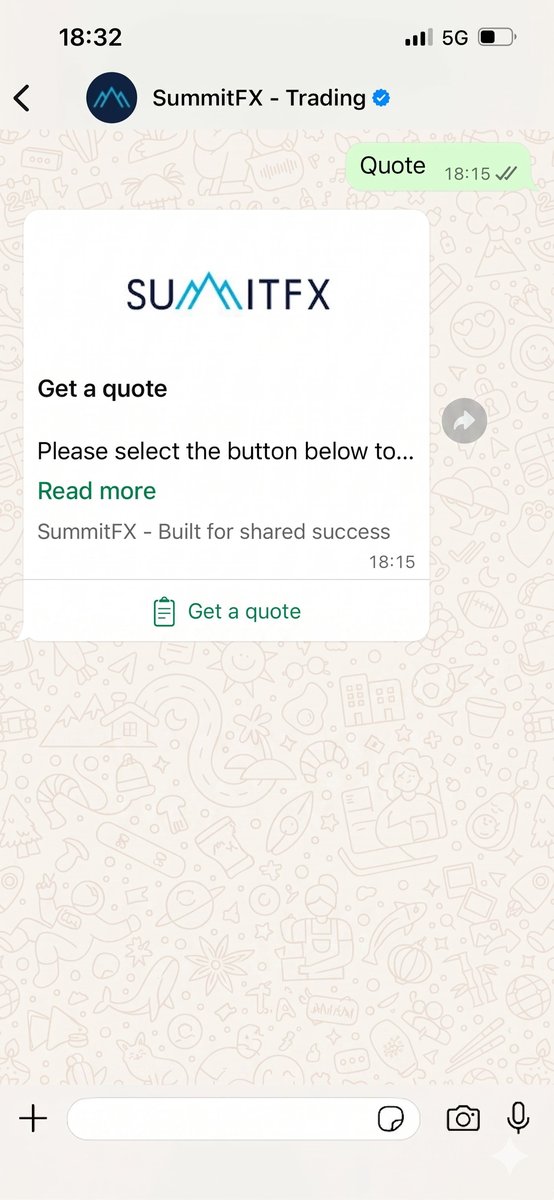
Need a quote on a pair that isn't your default? Just tell us what you want. We quote over 100 currencies and support pretty much any major corridor you can think of — GBP/EUR, USD/JPY, EUR/AED, GBP/SAR, you name it.

  • Over 100 currencies supported
  • Majors, minors, and exotics all handled
  • Send the pair and amount — e.g. "250k GBP to AED"
Send "quote" Ask for a quote on any pair
WhatsApp quote any pair screen
04 · Rate alerts

Never miss the right moment.

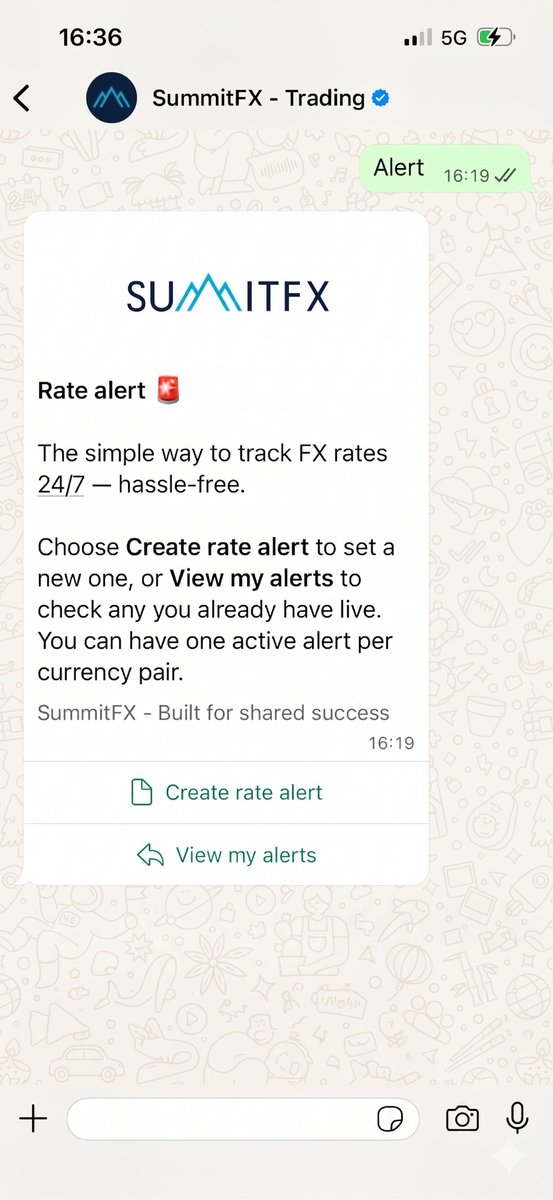
Tell us the rate you want and we'll keep watch 24/7. The moment your target rate is hit, we send you a WhatsApp message — so you can book immediately, while you've still got the chance.

  • Set any target rate, on any currency pair
  • Round-the-clock monitoring, even on weekends
  • Instant WhatsApp notification when your rate hits
  • Update or cancel at any time
Send "alert" Set up a rate alert on any pair
WhatsApp rate alerts screen
05 · Market orders

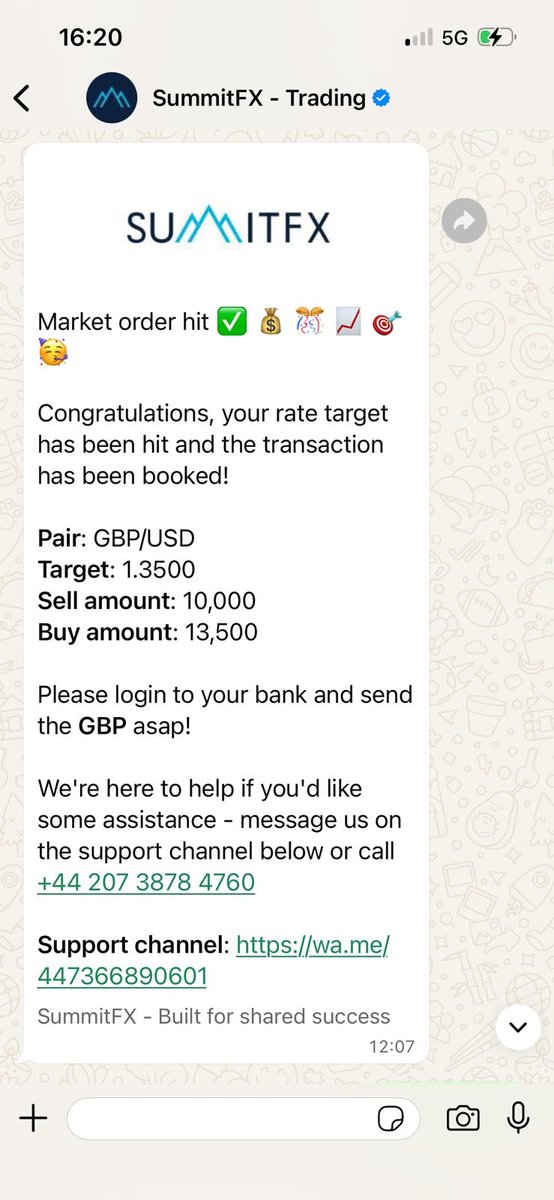
Auto-book when your rate hits.

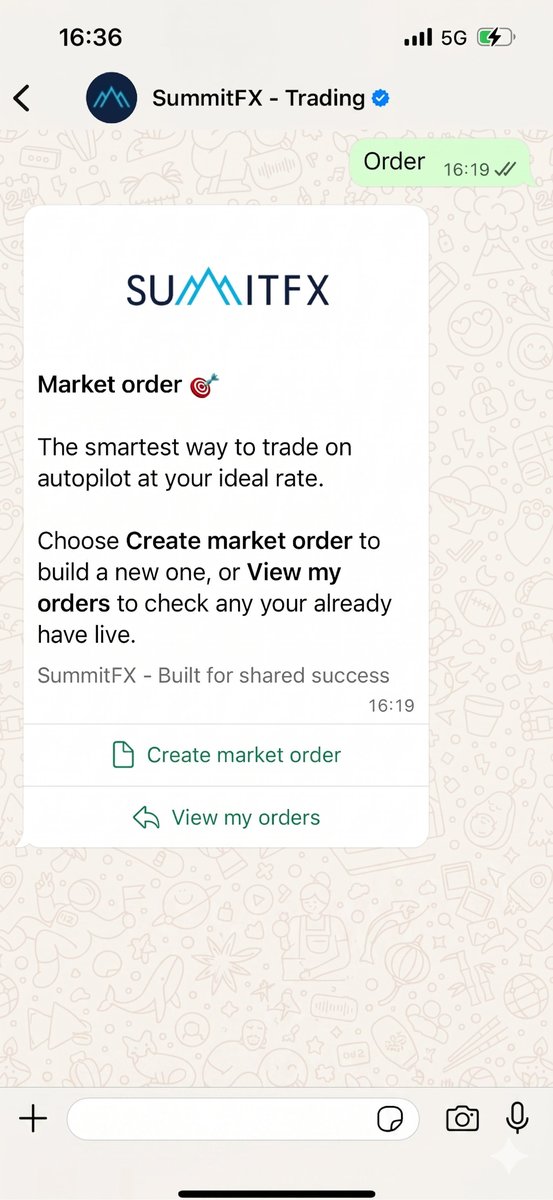
Like rate alerts, but for when you know exactly what you want to do. Set your target rate and amount, and the moment the market reaches it we'll automatically execute the trade — whether you're awake, asleep, or in a meeting.

  • Set a target rate and amount
  • Auto-executed the moment the market hits your price
  • WhatsApp confirmation with the exact rate secured
  • Cancel or modify at any time before execution
Send "order" Place a market order at your target rate
WhatsApp market orders screen
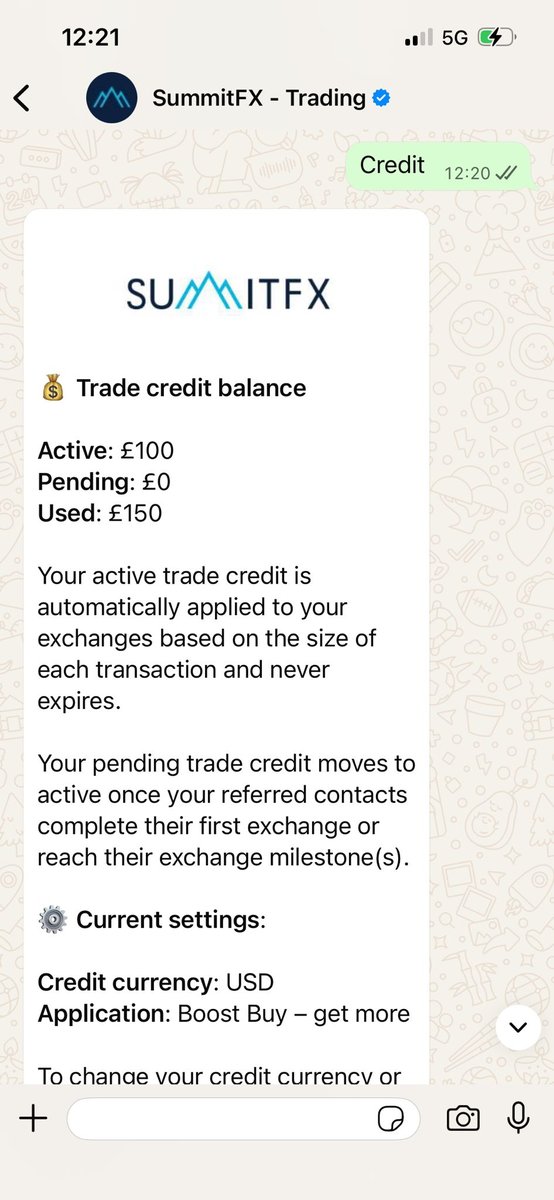
06 · Check your credit

Refer, earn credit, trade better.

Introduce friends and colleagues to SummitFX and earn trade credit for every one who transacts. Check your balance any time by sending "credit" — we'll show you what's live, what's already been spent, and what's pending as your referrals hit their milestones.

  • Live credit — ready to use on your next trade
  • Spent credit — what's already been applied to previous trades
  • Pending credit — sitting in escrow until your referrals hit their trading milestones
  • Updated in real time as referrals qualify
See your referral credit balance instantly
WhatsApp credit screen
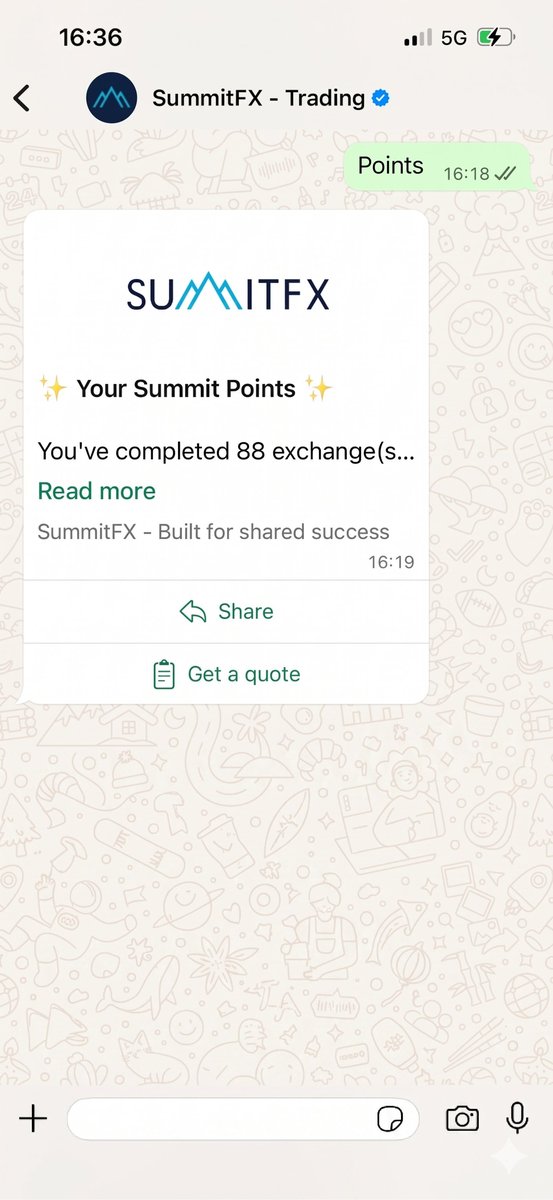
07 · Summit Points

Check your equity balance any time.

Every £1 you trade earns you Summit Points — your share of our 20% client equity pool. Send "points" any time to see your current balance, projected value, and position relative to other clients.

  • Real-time points balance
  • Indicative valuation based on company forecasts
  • Track milestones and referral bonuses
  • No portal login needed
Send "points" Check your Summit Points balance
WhatsApp Summit Points screen
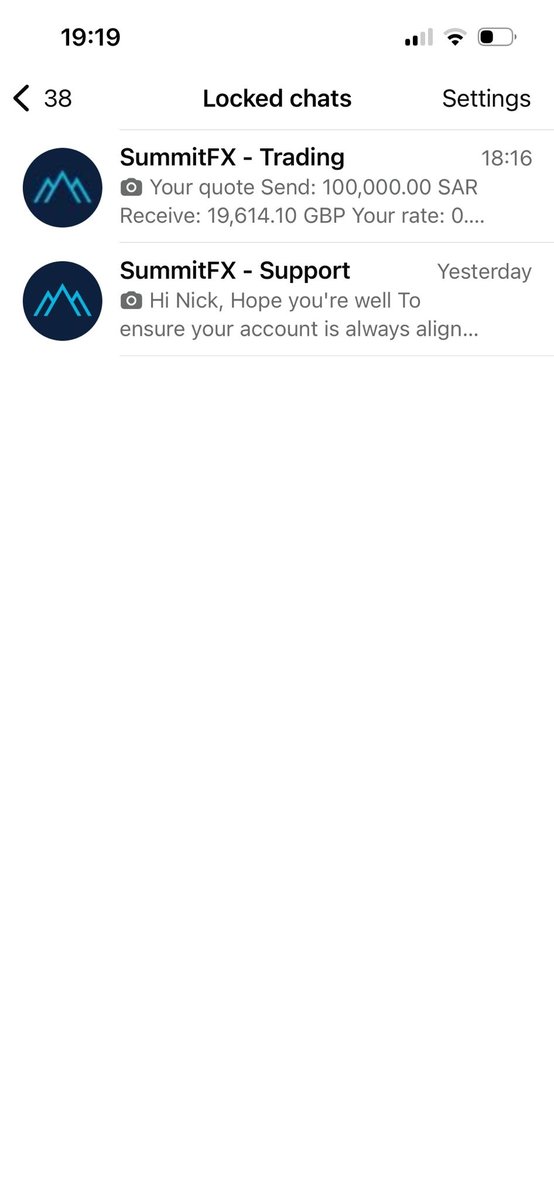
08 · Lock your chats

Your chats, your security.

WhatsApp lets you lock individual chats behind Face ID, Touch ID, fingerprint, or a passcode — so even if someone else has your phone, your SummitFX conversations stay private. Combined with end-to-end encryption on every message, you get bank-grade security without another password to remember.

How to lock your SummitFX chat

  1. Open your SummitFX Trading or Support chat in WhatsApp.
  2. Tap the channel name at the top to open chat info and scroll down to "Create new contact".
  3. Scroll down and choose "Lock chat", then authenticate with Face ID, Touch ID, or a passcode.
  4. To access your locked chats later, pull down on your main chats list — a "Locked chats" folder appears at the top.
Note: Locked chats can't be added to a custom list. If you want to group your Trading and Support chats into a single SummitFX list (see next section), pick that option instead — or lock one and list the other.
Open each chat to lock it — or to save it as a contact for the next section
WhatsApp Face ID lock screen
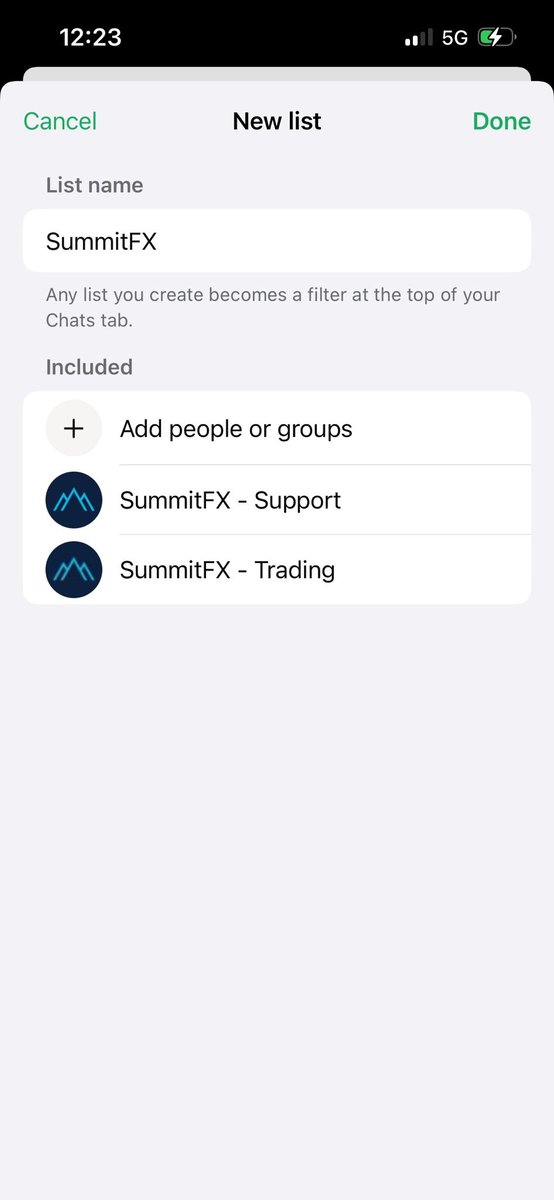
09 · Create a SummitFX list

Pin your FX chats to the top.

WhatsApp's custom lists let you group related chats into their own tab — so your SummitFX Trading and Support conversations sit together, front and centre, instead of getting lost below family chats and group messages.

How to create your SummitFX list

  1. Open your SummitFX Trading chat, tap the channel name, and choose "Create a new contact" — save it as SummitFX Trading. Repeat for Support. (WhatsApp only lets you add saved contacts to a list.)
  2. At the top of your WhatsApp chats, scroll the tab row to the right (past Unread, Favourites etc.) and tap the + icon.
  3. Name the list SummitFX, then add both your Trading and Support contacts.
  4. Long-press the new list and choose "Reorder lists". Drag SummitFX to the front so it appears first in your tab row.
Heads up: Locked chats can't be added to custom lists. Choose whichever matters more to you — security (locked chat) or speed of access (custom list).
Open each chat, tap the name and save as a contact — then build your list
WhatsApp custom lists screen
10 · Notifications

Always in the loop.

Every important event gets a WhatsApp message. When your funds arrive, when your trade settles, when the beneficiary is paid, when your rate alert triggers — you'll know instantly. No email lost in a spam folder. No dashboard to check. Everything happens automatically the moment you start trading with us.

  • Funds received confirmation
  • Trade execution receipts
  • Payment dispatch and delivery updates
  • Rate alerts and market commentary
WhatsApp notifications screen
Ready when you are

No app to download. No dashboard to learn.

Your entire FX solution lives inside the app you already check forty times a day. Send us a message — we'll take it from there.

Start a conversation Open an account