GBP/EUR GBP/USD EUR/USD GBP/CAD GBP/SAR EUR/SAR GBP/AED EUR/AED

Share Your National Address Certificate

To complete your account setup, we need a copy of your KSA National Address Certificate from SPL. It only takes a moment — follow the steps below.

How to share it

Send Us Your SPL Certificate

Simply login to SPL, click the three dots next to the Active button and select Proof of address (not Share Address). When the certificate is open, copy the URL at the top and share it in the SummitFX - Support channel below.
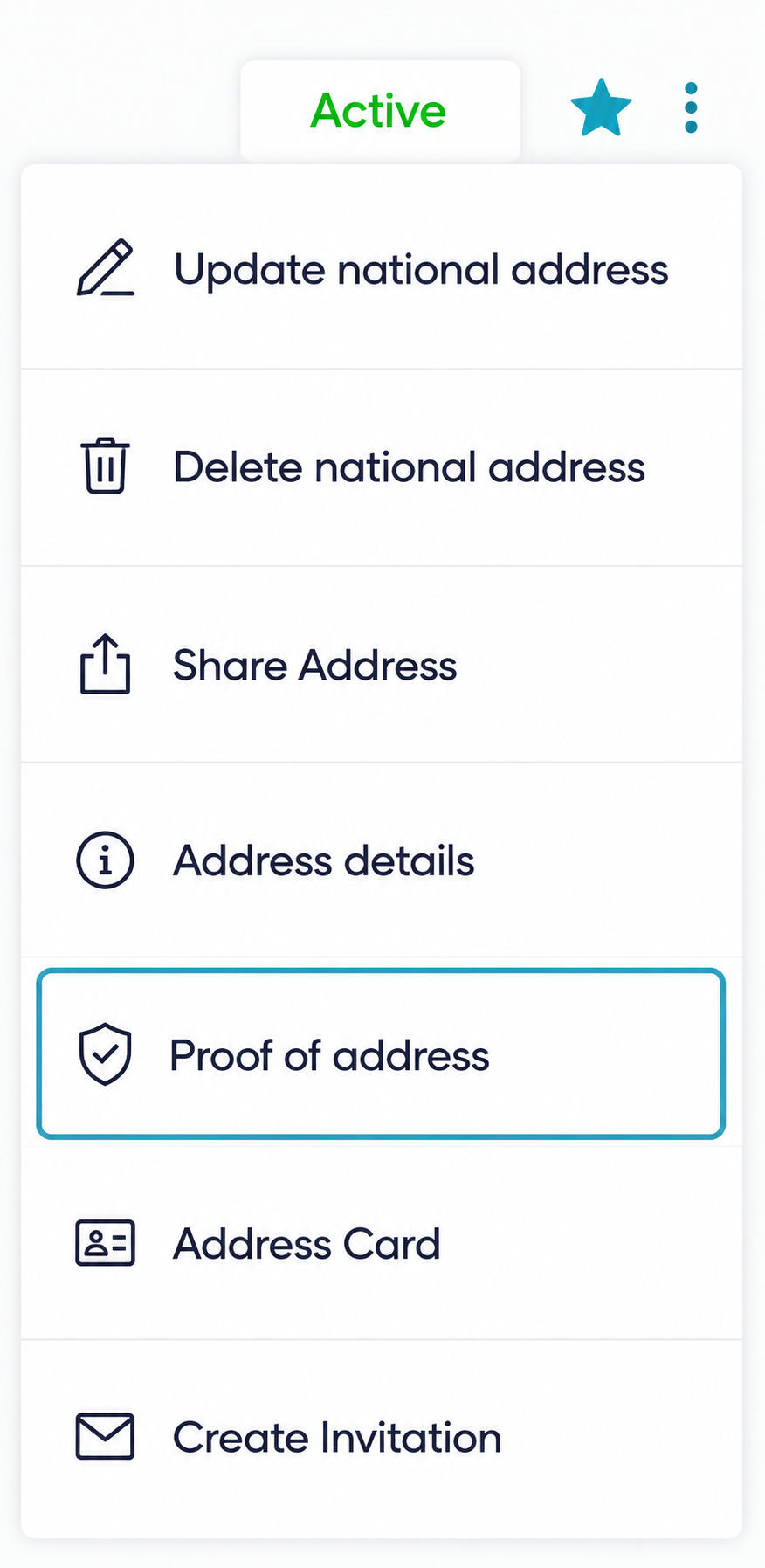
SPL menu showing the three dots next to the Active button with 'Proof of address' selected

The URL will look like this:
https://proof.address.gov.sa//Default?QAccountNumber=XXXXX&QServiceNo=XXXXXX

Get my SPL certificate Share on Support
Need a hand?

We're here to help

If you have any questions at any point, reach out and we'll get you sorted.